Professional Plan – Store Implementation Guide
Professional Plan – Store Implementation Guide
Objective
You gather all the information needed to configure your store on the platform.
Completing this document in detail will allow you to execute a fast, precise, and scalable implementation.
Scalability Recommendations
- Use consistent naming criteria for stores, entrances, checkout zones, fitting rooms, and other internal areas.
- Maintain the same names your company uses across internal systems and databases.
- Centralize all information through a single internal point of contact.
- Save this document as a base template for future openings or remodels.
General Store Information
The KSI support team will send you a link where you can upload the information. Complete each field with the corresponding information.
Explanation of Required Data
| Section / Field | What you need to enter | Example / Note |
|---|---|---|
| Store name | Commercial name exactly as it should appear on the platform. | ZARA – Patio Bullrich |
| Tag | Classification by store type, region, brand, or internal category. | Flagship, Shopping mall, Proximity, LATAM |
| Time zone | Official time zone where the store operates. | GMT -3 Buenos Aires |
| Opening hours | Business days and operating hours. | Mon–Fri 10–20h / Sat 10–21h / Sun 12–20h |
| Annual holidays | Days when the store remains closed. Specify if they repeat every year. | January 1, December 25, July 9 (every year) |
| Store floor plan | PDF showing all main zones: entrances, checkouts, fitting rooms, etc. | Send PDF to ksi.setup@ksivision.com |
| Entrance identification | Mark each entrance on the floor plan and specify the exact name that should appear on the platform. | 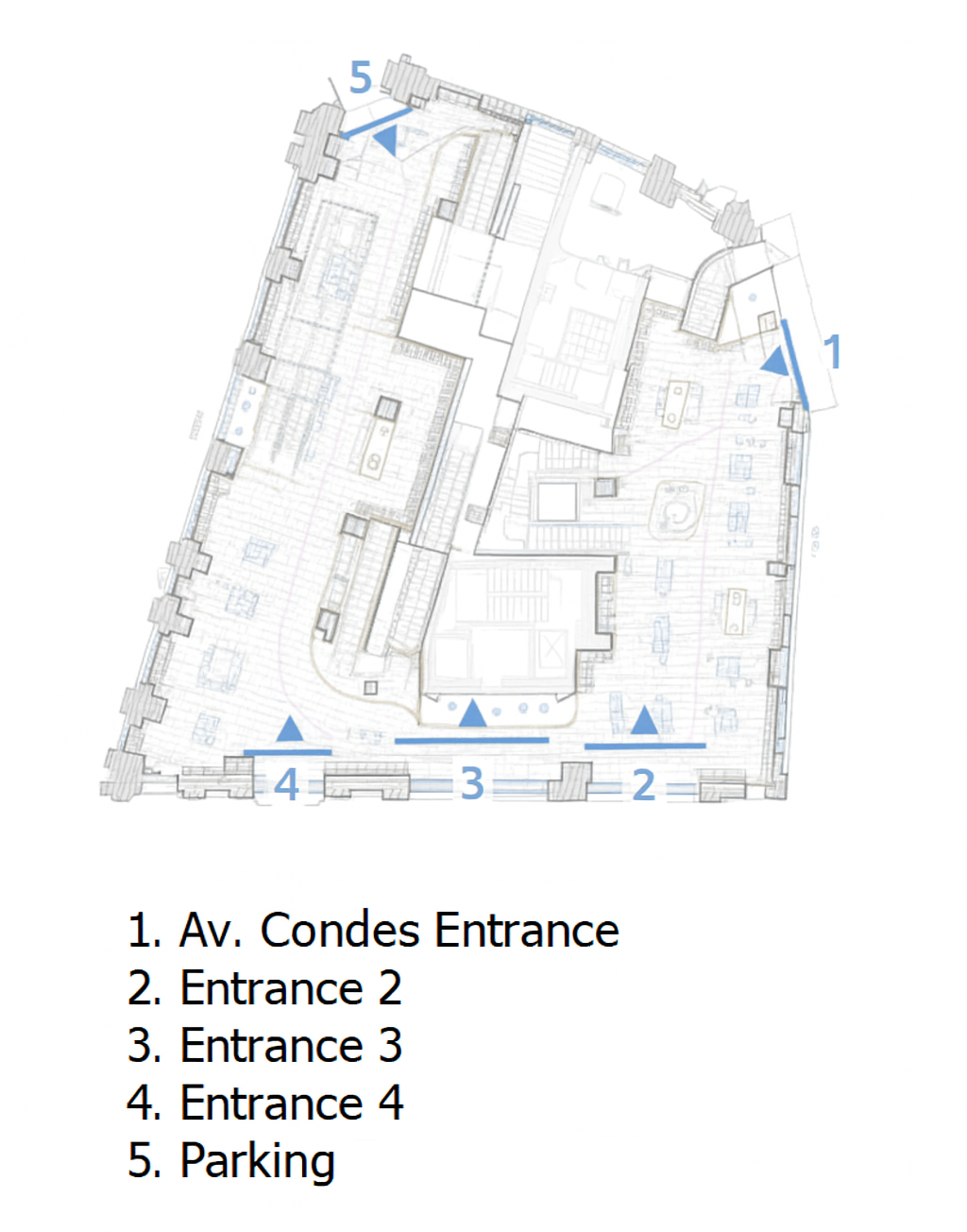 |
| Unique visitor filter | Indicate whether you want to enable unique visitor counting: Yes / No. | ≤ 2 entries in 2h = unique visitor |
| Window configuration (visitors) | Number of entries allowed within a 2-hour window before being counted as a single visitor. | Example: 2 entries |
| Staff / security / supplier filter | Indicate whether you want to exclude these profiles from visitor counting: Yes / No. | ≥ 3 entries in 2h = staff / excluded |
| Bounce time | Minimum stay time required for a visit not to be classified as a bounce. | Less than 2 minutes = bounce |
| Total manual checkouts | Total number of manual checkout stations. | 4 |
| Total self-checkouts | Total number of self-checkout stations (if applicable). | 2 |
| Checkout location (floor plan) | Indicate the location of each checkout and waiting area. Attach an image. | 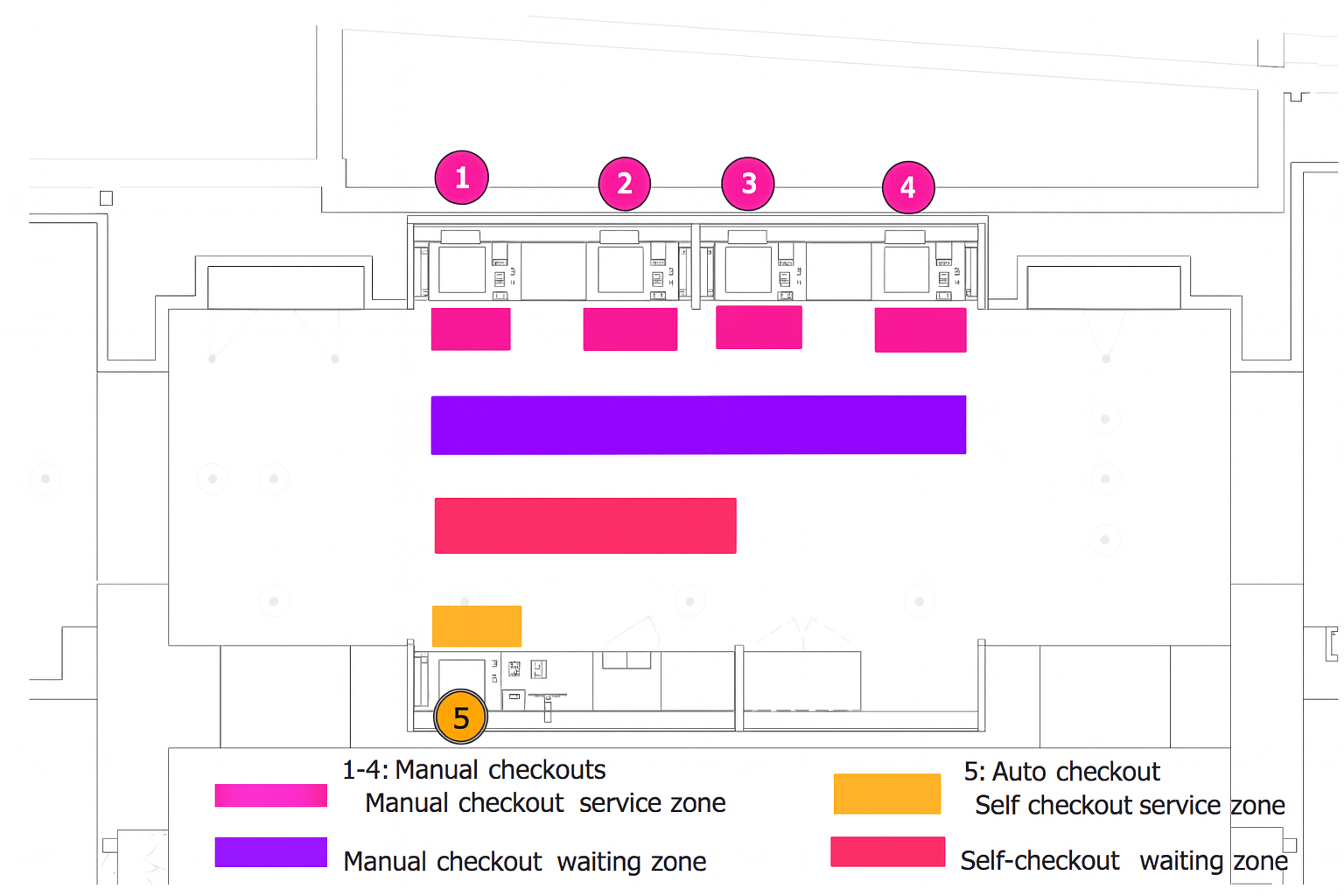 |
| Checkout naming | Names of checkout stations exactly as they should appear on the platform. | Kids Checkout, Checkout-B1, Checkout 1, Self-checkout-F0 |
| Total fitting rooms | Total number of fitting rooms per zone. | Fitting Rooms F0: 8 / Kids: 4 |
| Fitting room location (floor plan) | Mark fitting room zones and waiting areas. Attach an image. | 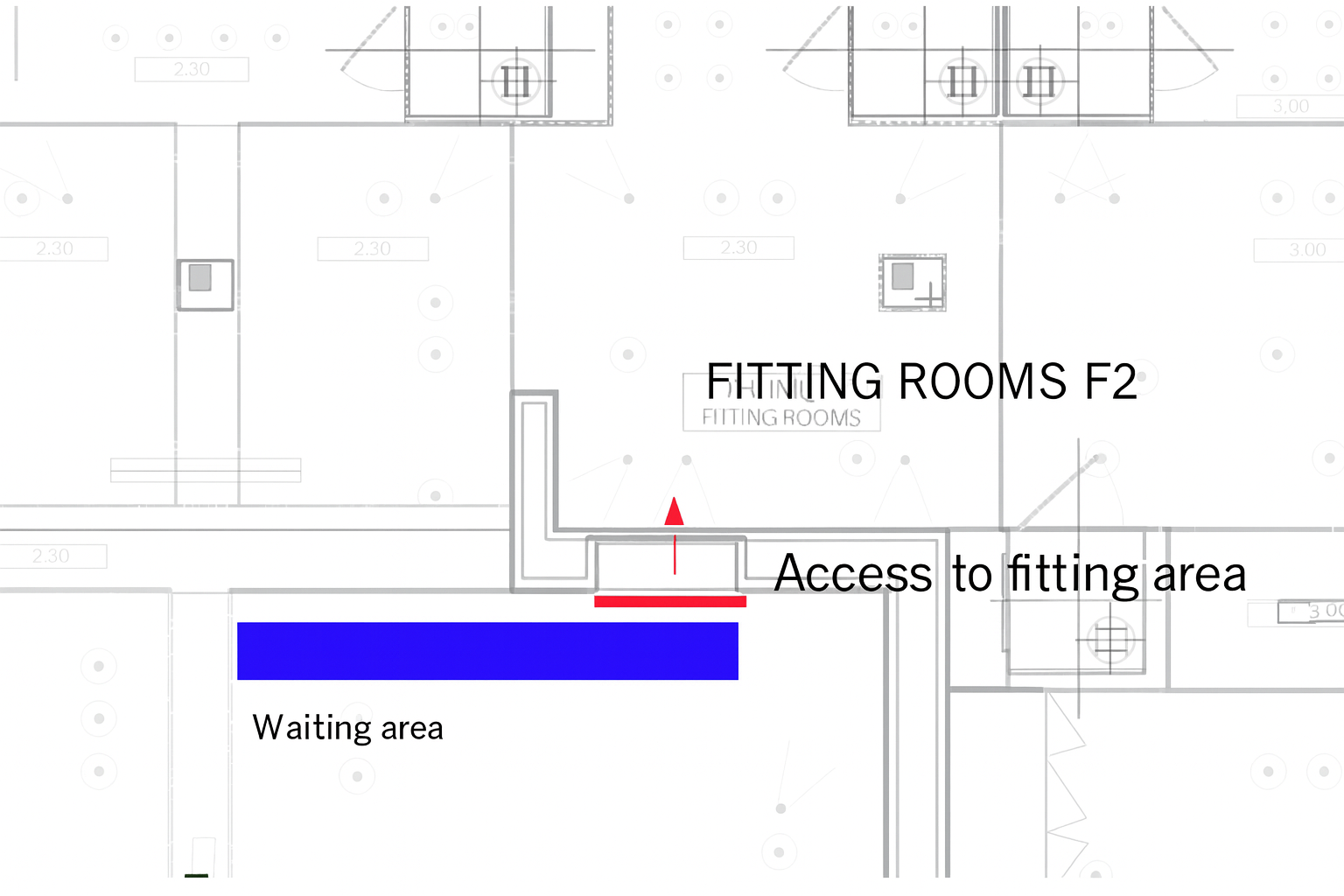 |
| Fitting room naming | Names of fitting rooms as they should appear on the platform. | FittingRooms-F0, FittingRooms-Women |
| Fitting room staff filter | Indicate whether to enable staff filtering for fitting rooms: Yes / No. | ≥ 3 entries in 2h = staff |
| Users (full list in a single row) | Complete list of users with Name, Email, Role (Admin/Viewer), and Store Access. One row per user. | Example: John Doe – john@company.com – Admin – All stores |
.
Sending the Information
Once you complete all fields and gather the required files (floor plans, images, PDFs, or any additional documentation), send everything to the setup team so the implementation process can continue.
👉 Send all information to:
📧 ksi.setup@ksivision.com
Include:
- The completed template or Excel file.
- The store floor plan with entrances, checkouts, and fitting rooms identified.
- Any additional documentation relevant to the configuration.
- A contact person in case the team requires validation.
Once received, the setup team will review the information and contact you if adjustments or confirmations are needed.