Audit Process – Performance Validation Guide
Audit Process – Performance Validation Guide
Objective
This guide explains the process used to validate the performance and accuracy of analytics at store entrances and other counting points.
Audits ensure that the system is working correctly before go-live and help maintain long-term reliability of the data.
KSI includes a built-in auditing module that allows you to compare manual counting against automated analytics to verify system precision.
Why Audits Are Important
Reliable analytics are essential for operational and business decision-making.
Audits allow you to:
- Validate installation quality and camera positioning
- Compare manual counts vs. automated counts
- Measure accuracy under real traffic conditions
- Adjust system configuration before full activation
The system captures low-resolution, blurred video (320×240px) only during audits to comply with privacy standards.
These recordings cannot identify individuals and are automatically blurred as a second privacy safeguard.
When Audits Are Performed
Audits are typically run:
- During the activation of a new store, for all perimeter entrances
- Occasionally in existing stores, when a performance review is required
The default auditing process validates entrances and, in most cases, also validates internal analytic cameras (since installations often use similar models and configurations).
How the Audit Module Works
The KSI audit module allows you to:
- Select which analytical points you want to audit
- Schedule the audit timeframe
- Automatically record footage (low-resolution + blur) for that period
- Display counting lines and analytic overlays
- Enter manual counts
- Compare manual vs. automated counts
- Calculate accuracy for that period
This is the only time the system records video.
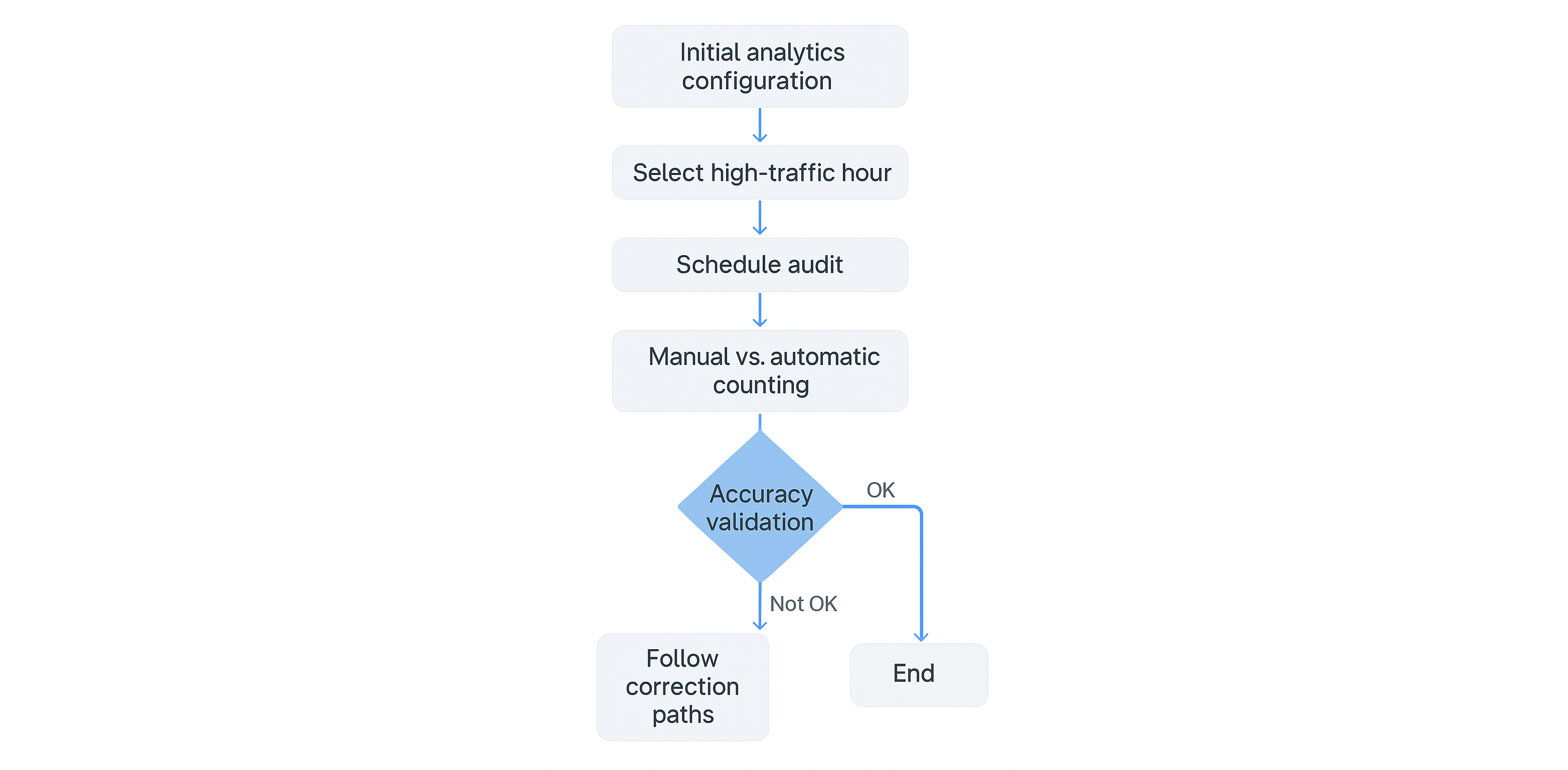
Default Audit Procedure for New Implementations
After installing and configuring analytics for each entrance, the following steps are performed:
- Configure the analytics point for each entrance.
- Identify a high-traffic hour to test analytics under demanding conditions.
- Schedule audits for that timeframe.
- Conduct a manual count using the blurred, low-resolution audit recording.
- Compare the manual count with the automated count generated by the system.
- Determine if accuracy meets the accepted standard.
- If accuracy is insufficient, repeat the process after adjustments.
Once acceptable accuracy is reached, the installation is considered validated.
What Happens If Audit Results Are Not Acceptable?
There are two possible paths, depending on whether the camera is correctly positioned according to the Camera Positioning Standard.
👉 Camera Positioning Standard:
Case 1 — Camera Correctly Positioned
If the camera meets the installation standard, the following adjustments must be performed before re-auditing:
-
Enable lighting management on the camera
- HDR, WDR, HLC, or equivalent
-
If the view is too wide, configure a crop to focus on the region of interest
-
Verify detection FPS
- Minimum: 5 FPS
- Optimal: 10 FPS
-
Check that the camera has no artifacts or disconnect periods
-
Simulate adjustments to the counting line using the simulation tool
-
Re-run the audit with the new configuration
If the second audit still fails:
👉 Escalate the case to the KSI Development Team for an in-depth review.
Case 2 — Camera Incorrectly Positioned (Risk of Occlusion)
If the camera does not meet the positioning standard or has a risk of occlusion, there are two branches:
Case 2A — Camera counts correctly despite being poorly positioned
- Mark the camera in KSI as “Camera with occlusion risk”
- Close the audit process
- Optionally configure an AI obstruction alert (contact ksi.support@ksivision.com)
Case 2B — Camera is poorly positioned AND results are not acceptable
Perform the following technical checks:
- Enable lighting management (HDR, WDR, HLC, etc.)
- Configure cropping if the field of view is too large
- Verify FPS (minimum 5, optimal 10)
- Ensure no artifacts or disconnections
- Use the simulation tool to test alternative line placements
- Re-run the audit
If the audit still fails:
👉 Communicate the achieved performance and request camera repositioning, angle adjustment, or replacement.
Summary of Outcomes
| Situation | Action |
|---|---|
| Camera correctly positioned → audit still fails | Adjust settings → re-audit → escalate to Development if still failing |
| Camera wrongly positioned but counting fine | Mark as “occlusion risk” → close audit |
| Camera wrongly positioned AND performing poorly | Apply fixes → re-audit → request physical relocation if still failing |
Contact & Support
If you need assistance during the audit process, contact:
The KSI team can help troubleshoot configuration issues, camera alignment problems, or system performance irregularities.